![kt-logo-kb.png]](https://support.kindertales.com/hs-fs/hubfs/kt-logo-kb.png?height=40&name=kt-logo-kb.png)
How to Access AI-Powered Event Descriptions
- Log in as a superadmin.
- Navigate to the Events section from the sidebar.
- Open or create an Event or Event Group.
- Locate the AI-powered text field for Event Group description, Event description, or Event Short Description
- Click either the “Ask AI” or “AI shortcuts” button. The AI will produce a clear, engaging event description.
- Ask AI: Enter a prompt or key details about your event in the AI input.
- AI Shortcuts: a set of tools to enhance pre-written descriptions
- Review and edit the AI-generated description as needed.
- Save the event with the new description.
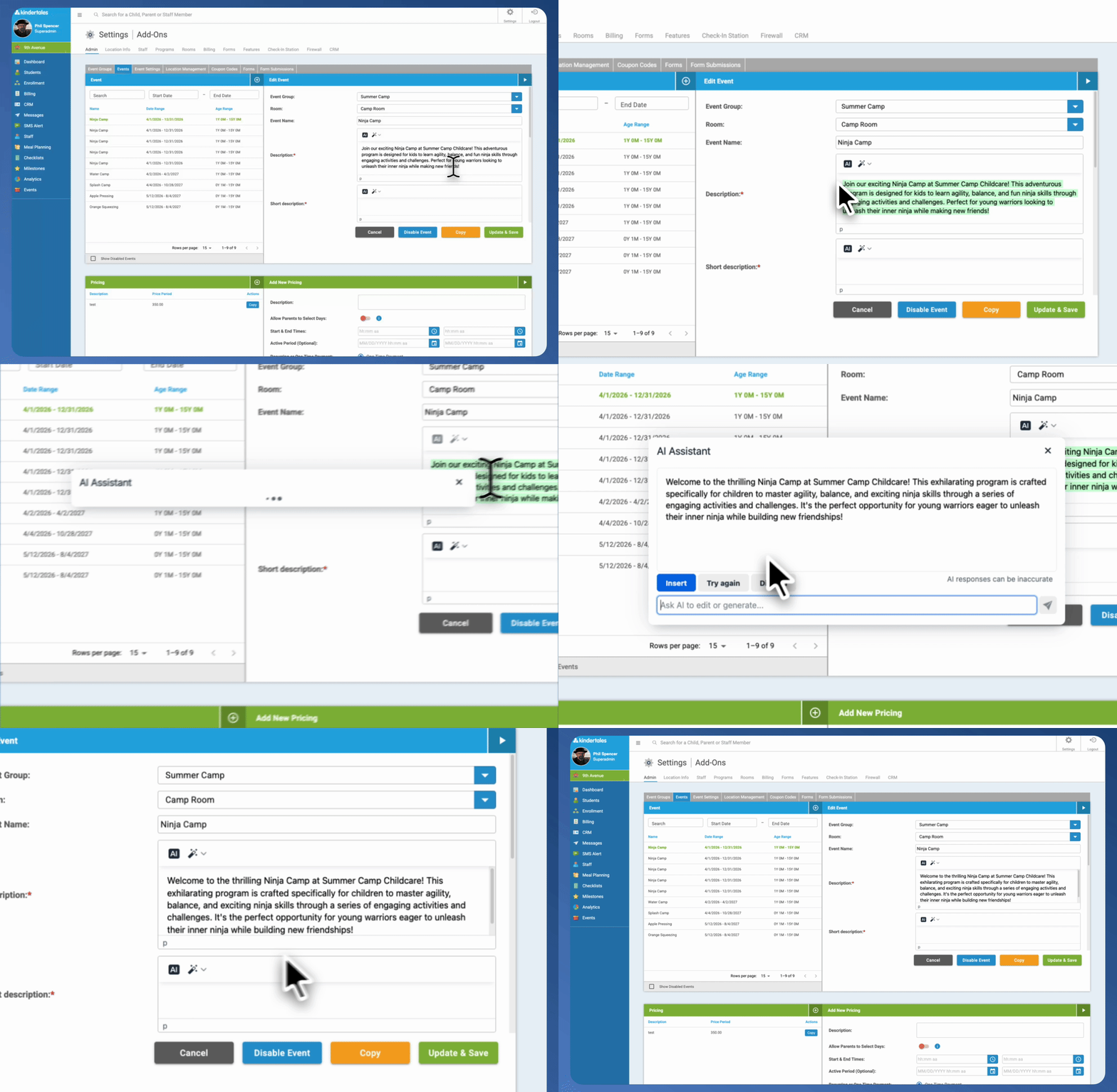
AI Shortcuts
How to Generate AI Images for Your Event
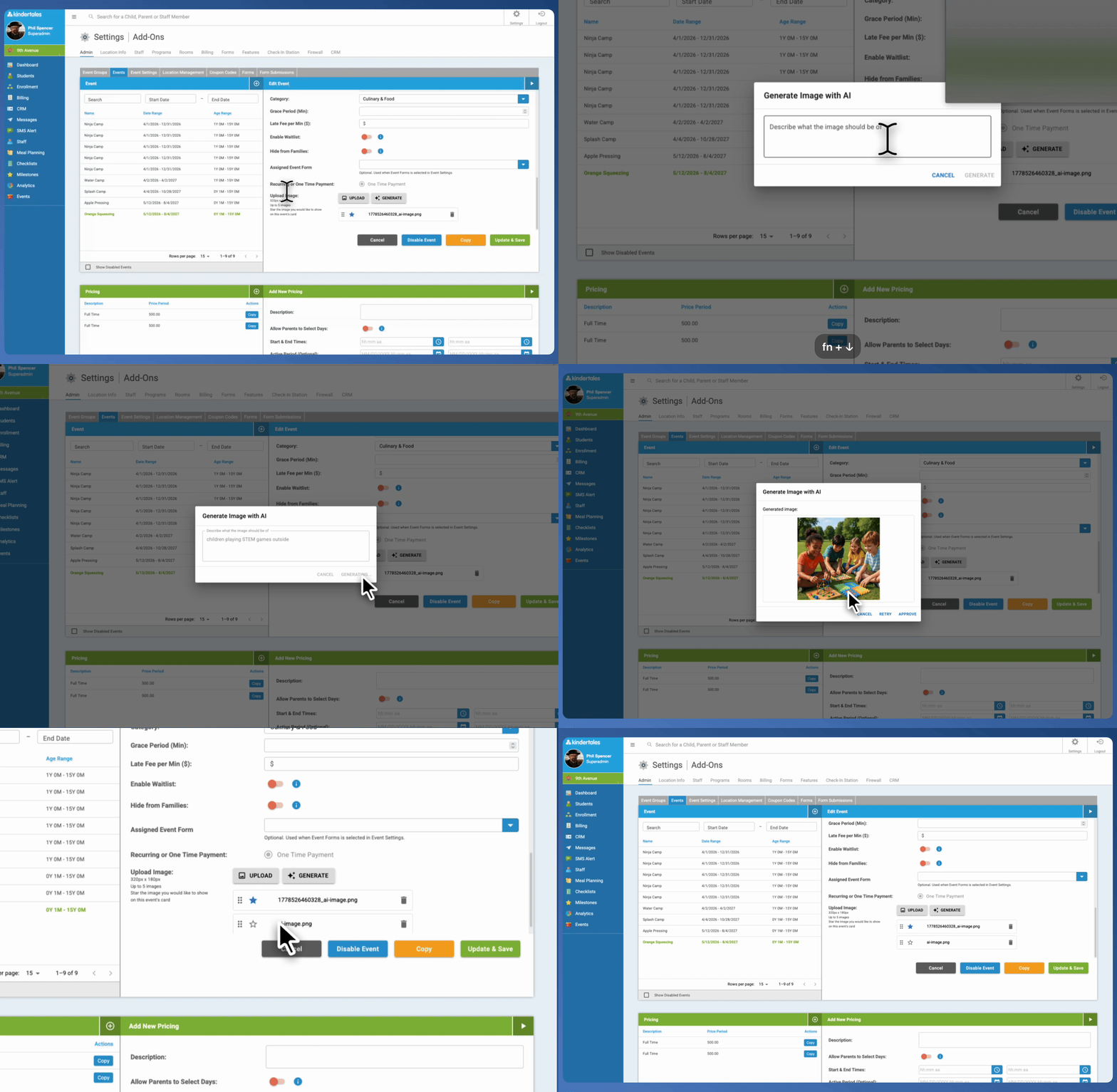
- While editing an Event or Event Group, find the image upload section.
- Click the Generate button.
- Provide a prompt describing the image you want AI to create (e.g., "children playing STEM games outside").
- Submit the prompt by clicking Generate
- Review and approve the generated image or retry to regenerate an image.
- Save the event with the AI-generated image.
Best Practices for Using AI Content Tools
- Use specific, clear prompts for descriptions and images to get targeted content.
- Always review AI-generated content for accuracy and brand voice.
- Combine AI-generated descriptions with your unique event details to personalize content.
For questions or assistance, contact the support team. Happy event creation!