![kt-logo-kb.png]](https://support.kindertales.com/hs-fs/hubfs/kt-logo-kb.png?height=40&name=kt-logo-kb.png)
What's in this article
- Cart Display Enhancements
- Payment Options Tabs
- Profile Editing for Parents
- Location Finder Feature
- Using "Add to Calendar"
Cart Display Enhancements
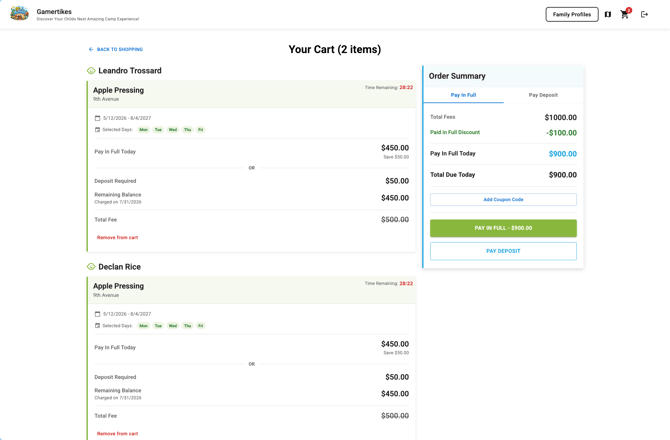
The checkout cart has been redesigned to provide crystal-clear clarity for parents. All items are grouped by child, allowing parents to verify each registration at a glance. Each event registration is displayed with full details, including specific event dates, selected days, and individual line items, ensuring confidence before completing the purchase.
Payment Options Tabs
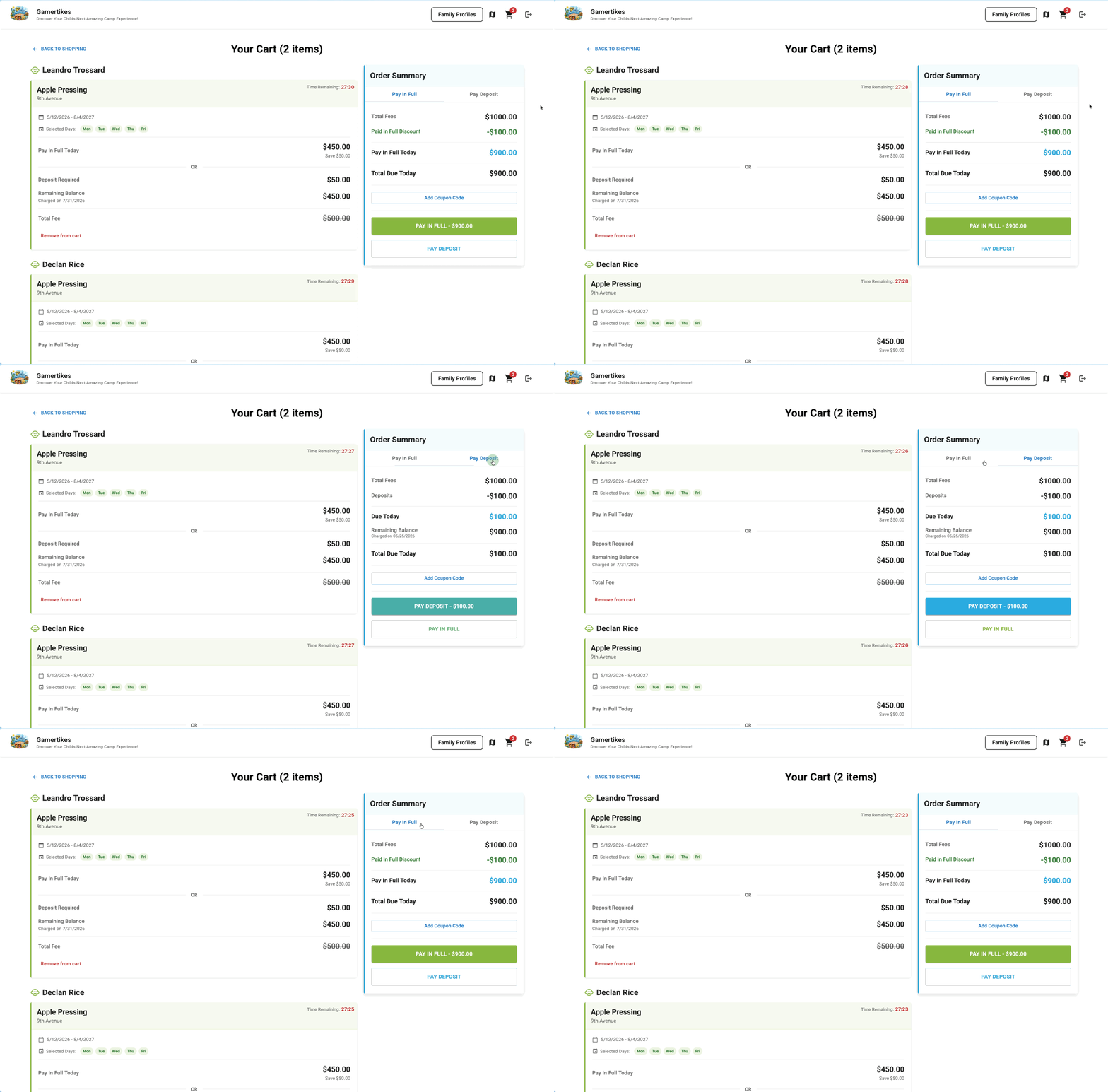
To eliminate confusion during checkout, payment options are now separated into two distinct tabs: "Pay in Full" and "Deposit Only." Parents will only see the discounts and line items relevant to their chosen payment method. Furthermore, deposit requirements are always clearly visible, even if the deposit amount is $0, ensuring a consistent and predictable checkout experience.
Profile Editing for Parents
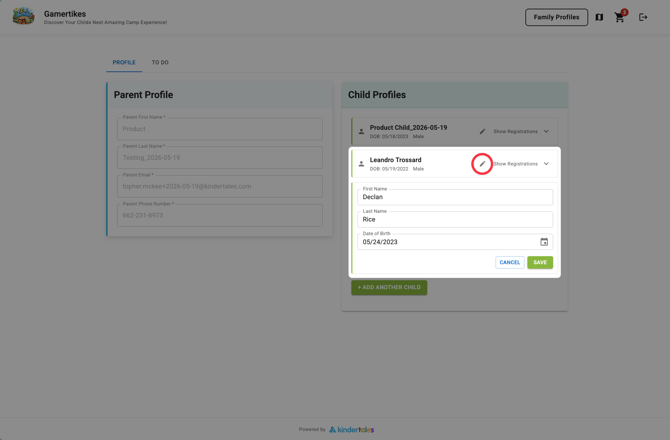
We understand mistakes happen. Parents can now easily edit their child's name and date of birth even after the initial profile has been created. This flexible editing feature is accessible in the Events portal under child profiles, preventing the need to start the sign-up process over for simple corrections.
Location Finder Feature
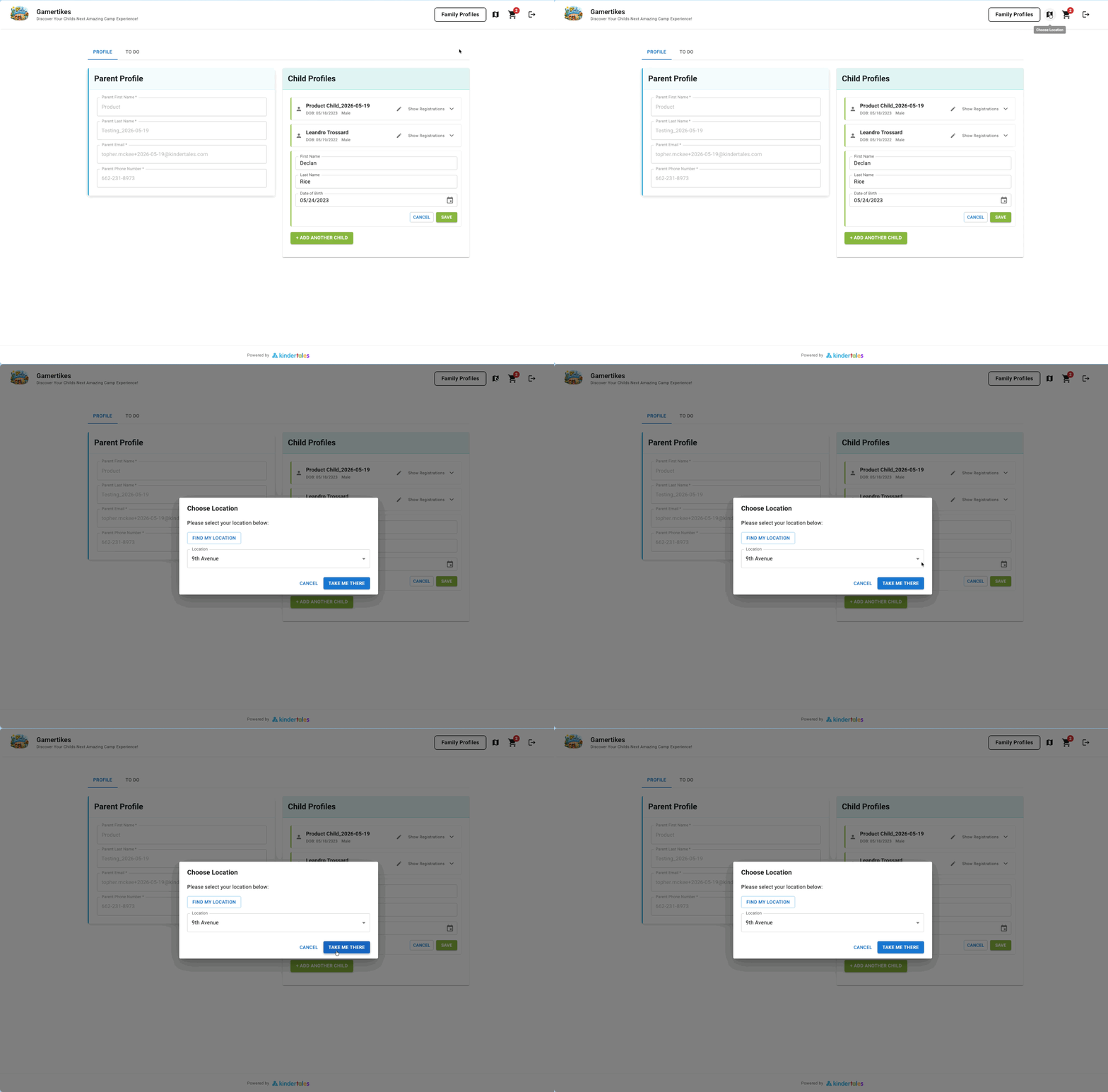
For multi-location operators, we've made it easier than ever for parents to find the correct event page. Parents can now quickly find and select their location directly from the Events portal using the "Find my Location" button, which leverages browser geolocation for an instant match.
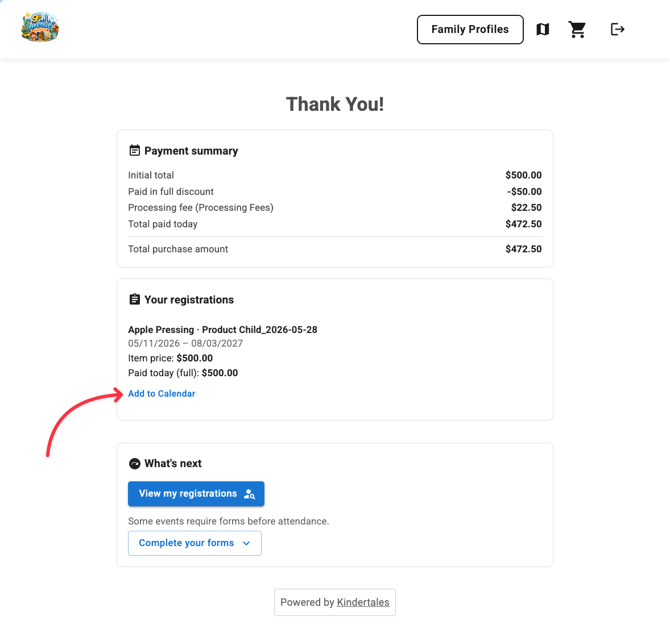
Using "Add to Calendar"
- After purchase, parents can add upcoming events directly to their personal calendars.
- This feature is available on the purchase confirmation page.
- Parents select their preferred calendar service to add the event.
For questions, contact the support team for assistance.