![kt-logo-kb.png]](https://support.kindertales.com/hs-fs/hubfs/kt-logo-kb.png?height=40&name=kt-logo-kb.png)
What’s in this article
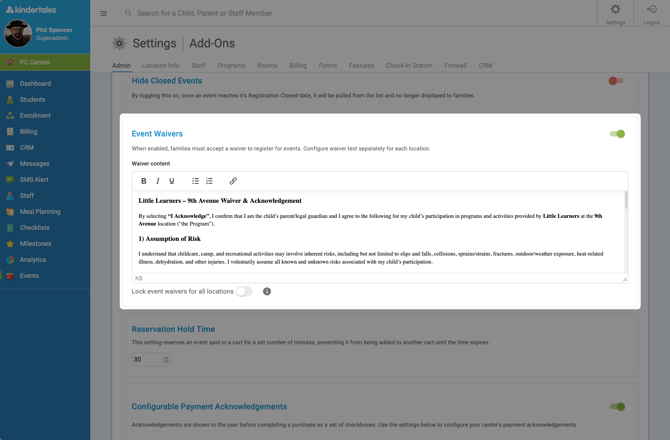
Setting up location-specific waivers
Use location-specific waivers when different sites require different language, policies, or consent terms.
- Log in as a Superadmin.
- Select the location you want to configure.
- You may also lock event waivers for all locations to keep content uniform
- Navigate to Event Settings > Event Waivers.
- Enter or update the waiver text using the rich text editor.
- Toggle waiver enforcement On or Off based on your needs.
- Click Update & Save.
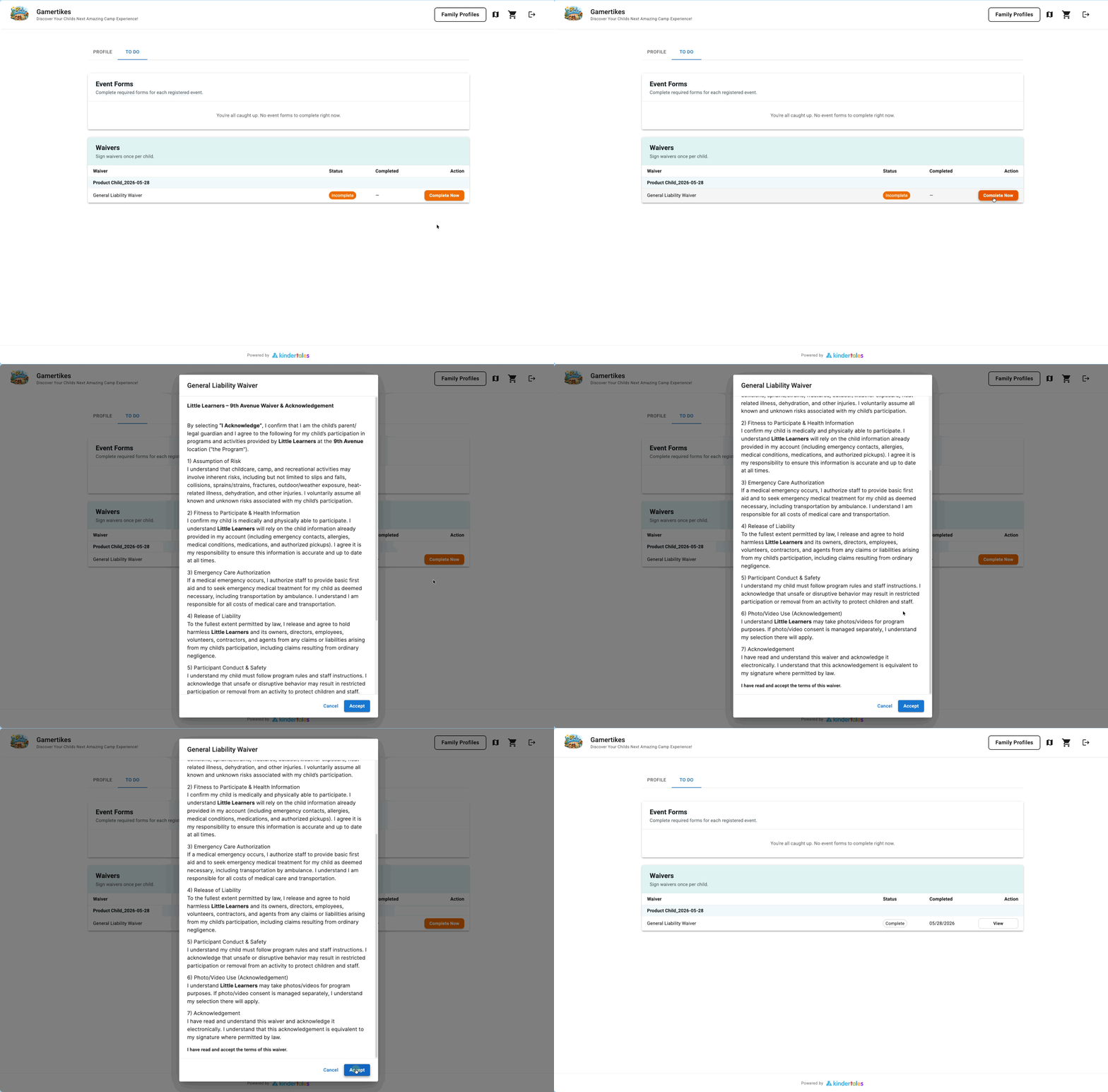
Understanding the one-signature-per-child waiver process
With one signature per child:
- Parents complete and sign the waiver once per child.
- The waiver does not need to be signed again for every registration.
- This helps reduce parent friction while supporting consistent compliance records.
If you need help troubleshooting waiver setup, contact your support team.