![kt-logo-kb.png]](https://support.kindertales.com/hs-fs/hubfs/kt-logo-kb.png?height=40&name=kt-logo-kb.png)
What in this article
- Overview
- Prerequisites
- Enable “Allow over/under adjustments” for a subsidy
- Apply the adjusted subsidy payer on a child’s payment arrangement
- How charges will appear
Overview
Use over/under adjustments when you know in advance that a subsidy will consistently create a fixed overage or shortfall for the life of the subsidy arrangement. This lets superadmin set up the arrangement once so future charges reflect the adjusted amount automatically.
Prerequisites
- You must enable over/under adjustments per subsidy in Settings > Billing > Subsidies.
- A superadmin must add the subsidy payer with the “Allow over/under adjustments” option on the child’s payment arrangement.
Enable “Allow over/under adjustments” for a subsidy
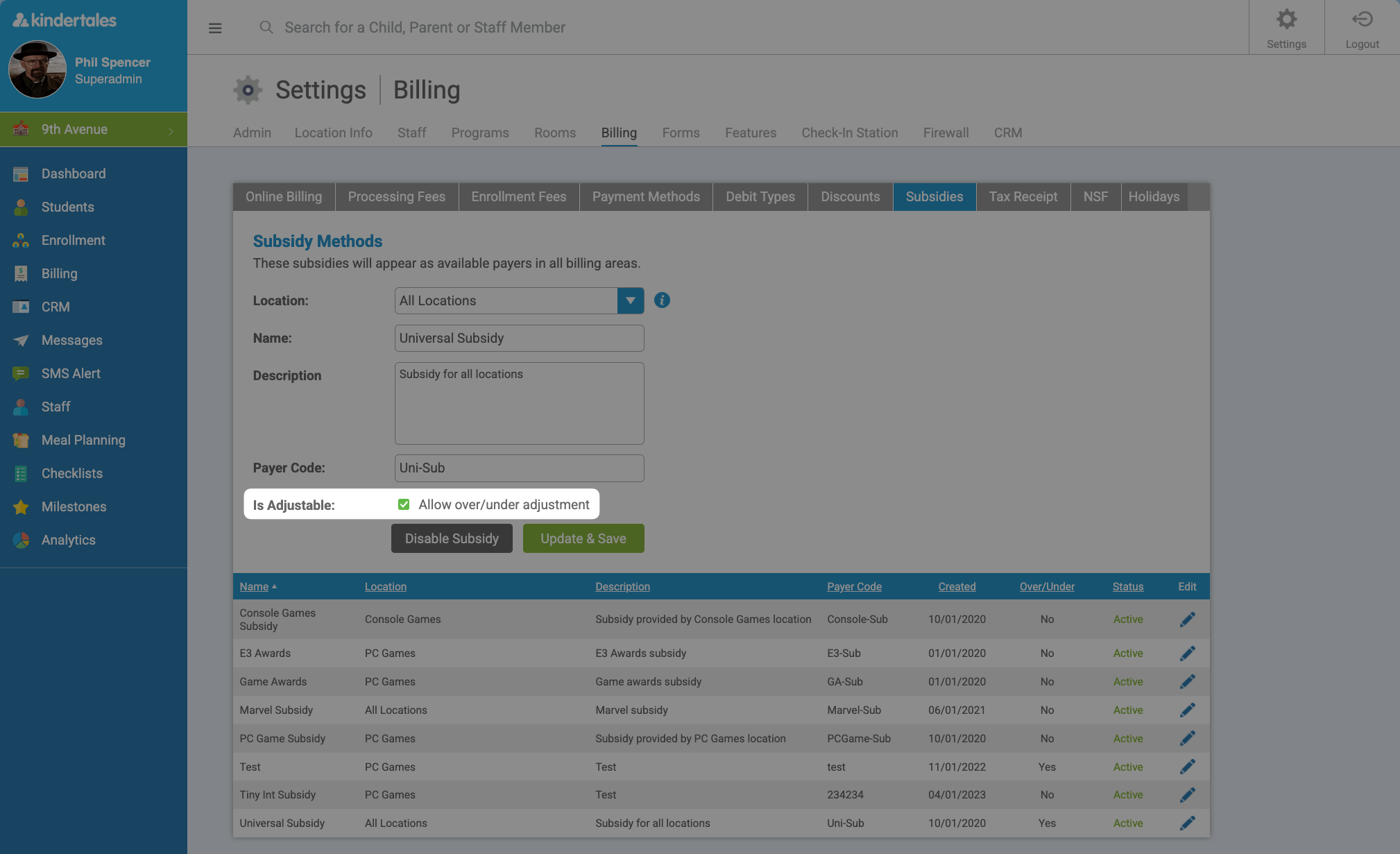
- Go to Settings > Billing > Subsidies.
- Open the subsidy you want to update.
- Enable Allow over/under adjustments.
- Save.
Apply the adjusted subsidy payer on a child’s payment arrangement
- Open the child’s profile.
- Go to Programs.
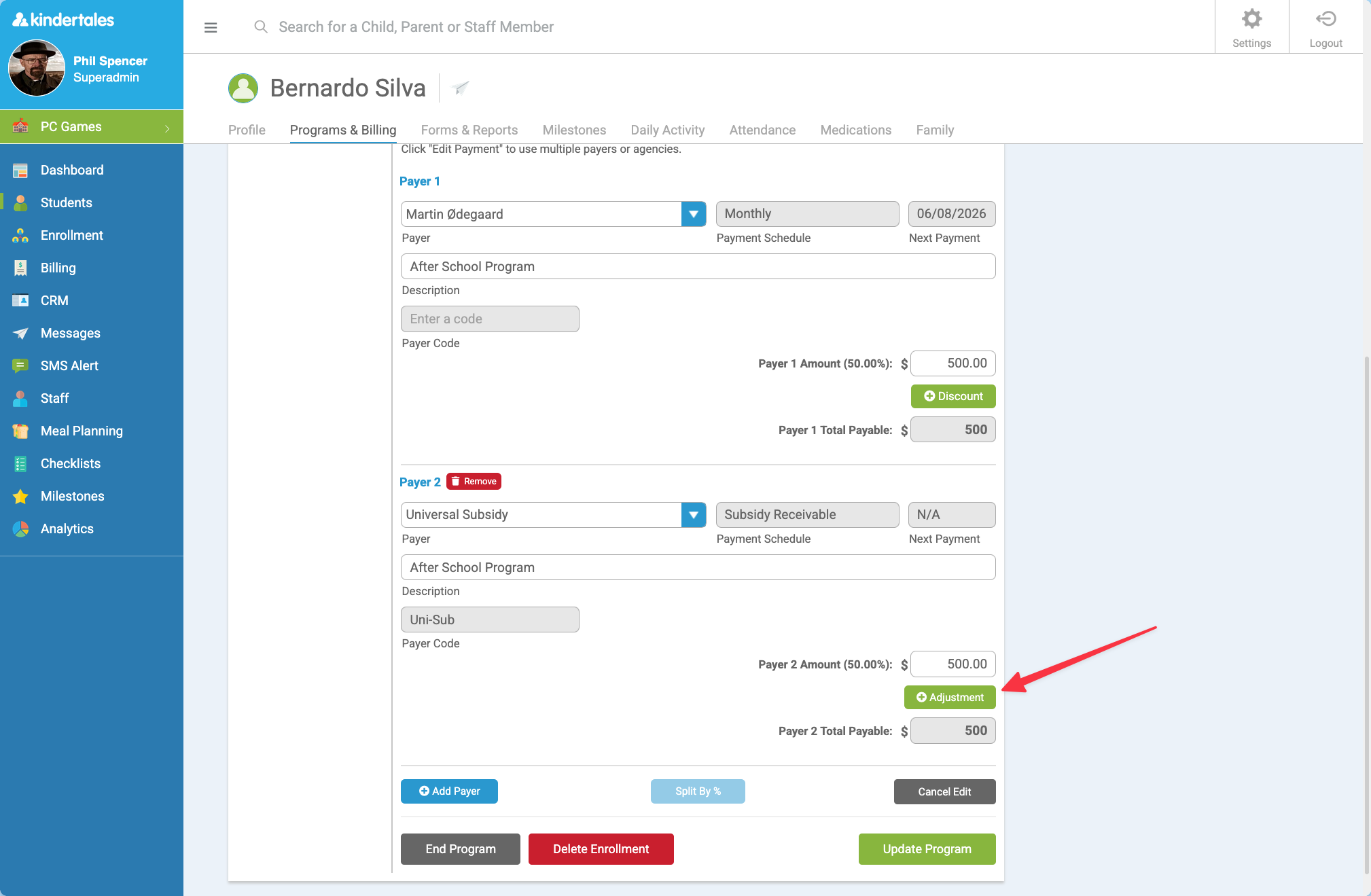
- Find the relevant program and select Edit arrangement.
- Add (or update) the subsidy payer on the child’s payment arrangement.
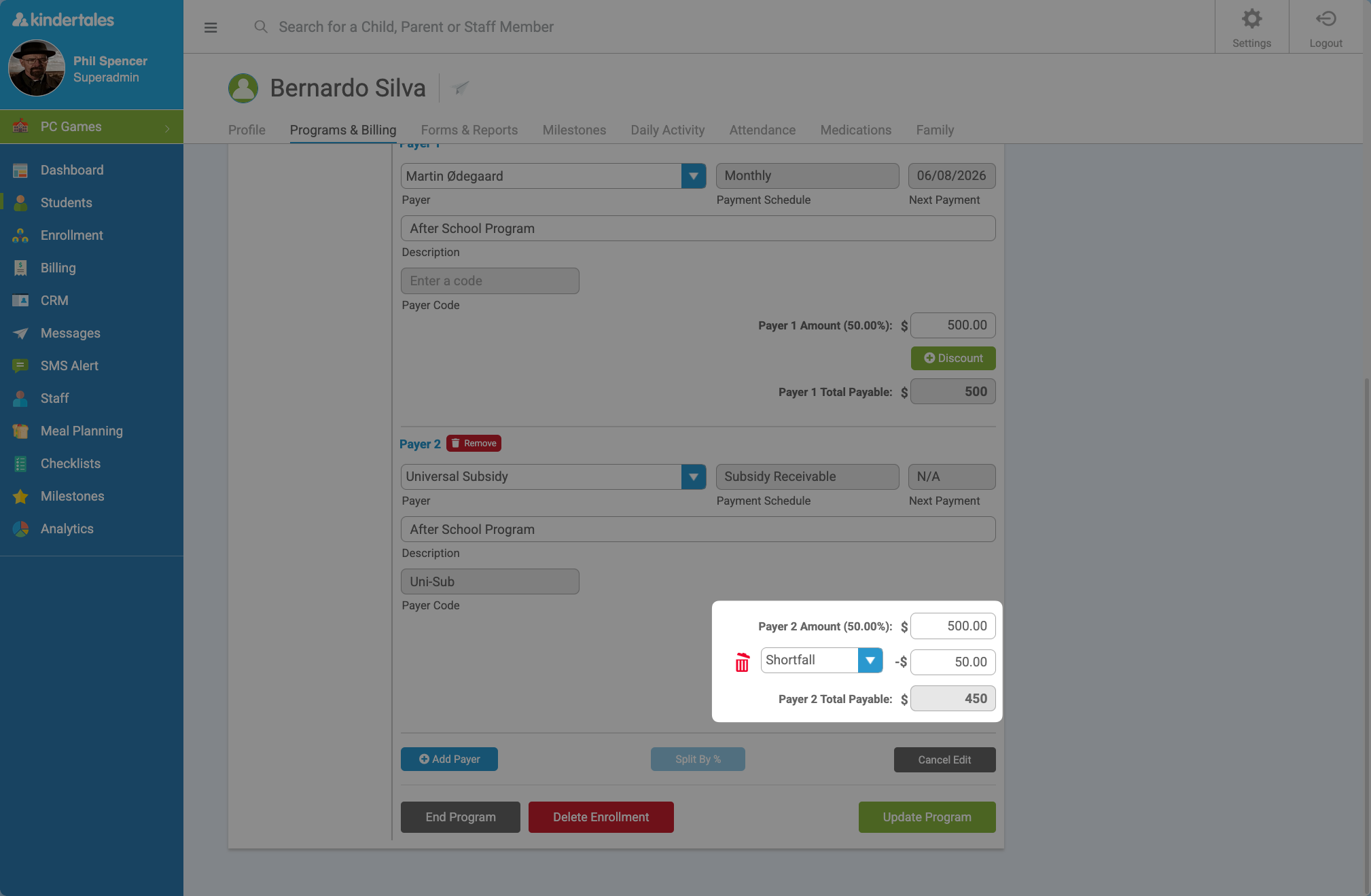
- Enable Allow over/under adjustments for that subsidy payer and enter the adjustment details as needed.
- Save the arrangement.
How charges will appear
After this is set up:
- Any total charges created under this arrangement will be reflected in:
- the child’s Charges page, and
- the Subsidy Receiving tool.
- You will see one adjusted line item (not two separate line items).